Learn how DRM video works through encryption, playback licenses, and players. Understand the difference between DRM, MP4, and M3U8, then choose an appropriate way to watch or save authorized video.
DRM stands for Digital Rights Management. DRM video usually refers to video whose use is managed through content encryption and playback authorization. DRM describes a content-protection mechanism; MP4, playlists, and web players serve different roles in media packaging, resource organization, and playback.
Understanding these layers makes it easier to choose between streaming, offline viewing in an app, or saving authorized video as a local file.
What three components make DRM video playback work?
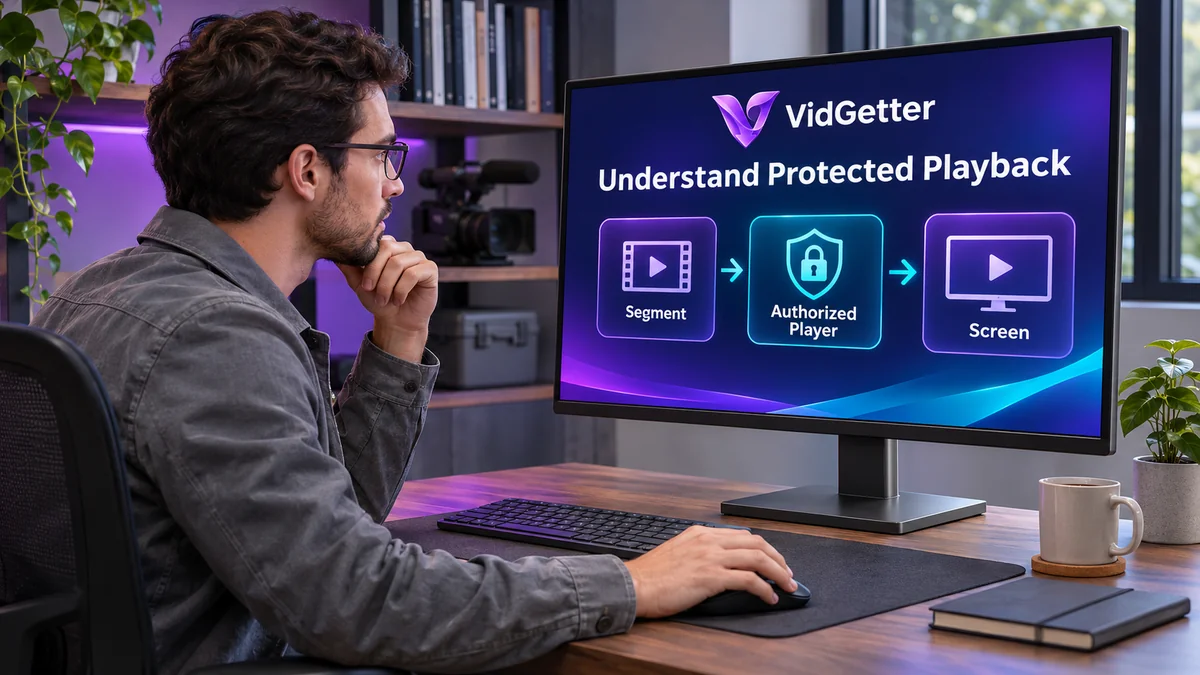
A protected video playback session can be understood through three components:
- Media data carries picture and sound, with protected portions processed using encryption.
- Playback license provides keys and rules related to content use, managed through the relevant service's authorization process.
- Player and decryption component work together in a supported environment to enable authorized playback. In web contexts, a CDM is a Content Decryption Module.
After you press play, the app coordinates media loading and license interactions. The player uses a valid license to process protected content. An existing valid session may also continue using its associated license.
W3C's EME standard provides a public interface for web pages to interact with content-protection systems. Business checks such as account authentication and subscriptions are handled by the application and its service.
Think of media data as a package carrying the content, a license as a credential for using that package under certain rules, and the player as the environment that completes the playback. Each has its own role.
What do DRM, MP4, and M3U8 each describe?
When you identify a video, first consider what kind of question each term answers.
| Term | Layer | Main role |
|---|---|---|
| DRM | Content protection and authorization | Manages the use of protected content |
| MP4 | Media container | Organizes video, audio, and other data |
| M3U8 | Playlist | Describes playback resources and how they are organized |
| HTTPS | Network transport | Protects data in transit between a browser and a service |
| Account sign-in | Identity and access | Confirms a user's identity and applicable access conditions |
For example, media in the same MP4 container can follow different content-protection arrangements. Identify DRM using platform guidance and player information, rather than relying only on the file extension, sign-in status, or playlist name.
How are EME, CDM, and Widevine related?
These terms refer to an interface, a component, and a specific system.
EME is an interface for web pages to interact with related systems. MDN's guide explains media keys, sessions, and related events. A CDM takes part in processing content for decryption.
Widevine is a DRM system. Google's official overview describes its use in media protection and the related standards.
Most viewers only need to check which devices, players, and viewing methods a platform supports. Developers may also need to work with the interface and license service together.
How should you choose between streaming, offline viewing, and downloading a file?
Decide what you want to do, then choose the matching option:
| Your goal | Suitable option | Check first |
|---|---|---|
| Watch content you subscribed to or purchased | The service's player | Account authorization and supported devices |
| Watch offline while traveling | The service's offline feature | Download entry point, availability period, and playback app |
| Save an ordinary web video that you own or are authorized to use | A file download allowed by the source | Permission to save, media version, and intended use |
Offline content inside an app is used according to the service's arrangements. If a project requires a separate file, confirm that the source provides file export or grants the relevant media rights. This lets viewing and file-archiving needs each use an appropriate method.
How can you organize authorized web videos on a computer?
For ordinary web media that you own or are authorized to use and that the source allows you to download, the VidGetter desktop client brings media recognition, version selection, and local organization together.
Paste a specific page link into the client or open a public page in its built-in browser. Review the available resolution, format, audio tracks, and subtitles, then choose a version and save location for your purpose. Afterward, use the local media library and download history to find files for review or project archiving.
Frequently asked questions
How are paid videos related to DRM videos?
Paid describes a purchase or subscription arrangement; DRM describes a content-protection mechanism. Check the service guidance and player information to understand a video's protection arrangement.
How can you tell whether a video uses DRM?
Start with the platform's information about protected content, supported devices, and playback environments. Content-protection or license information shown by the player can also help identify the mechanism.
How should you choose videos for long-term organization?
Choose your own or authorized material that is clearly permitted to be saved. Record its source and permitted uses, then organize the video and notes by project. For content intended for offline viewing in an app, follow the service's offline-viewing process.